Home / Blog / App Updates
A fresh Transit card, air quality alerts and a calmer app: what's new in PantauSivik 1.25.29
Some updates add one big feature. This one is about making the screens you open every day clearer, calmer and quicker to read. PantauSivik 1.25.29 gives the Transit page a fresh look, makes alerts say exactly what they mean, and adds air quality and UV alerts for the days when the sky matters.
Now available: this update is live on Google Play. Open the Play Store and tap Update if it has not installed on your phone yet.
The update at a glance
| What is new | What it means for you |
|---|---|
| Transit card, redesigned | Bus and MRT/LRT crowds in two rings, with the latest alert right underneath. |
| Air quality and UV alerts | An alert when air quality gets worse or recovers, and when the UV index hits 8. |
| Clearer Public Alerts | Bus disruptions now count, and every number comes with a line that explains it. |
| Smoother everyday moments | Singapore time that stays right, no surprise trips to Settings, and tidy offline screens. |
A Transit page you can read in a glance
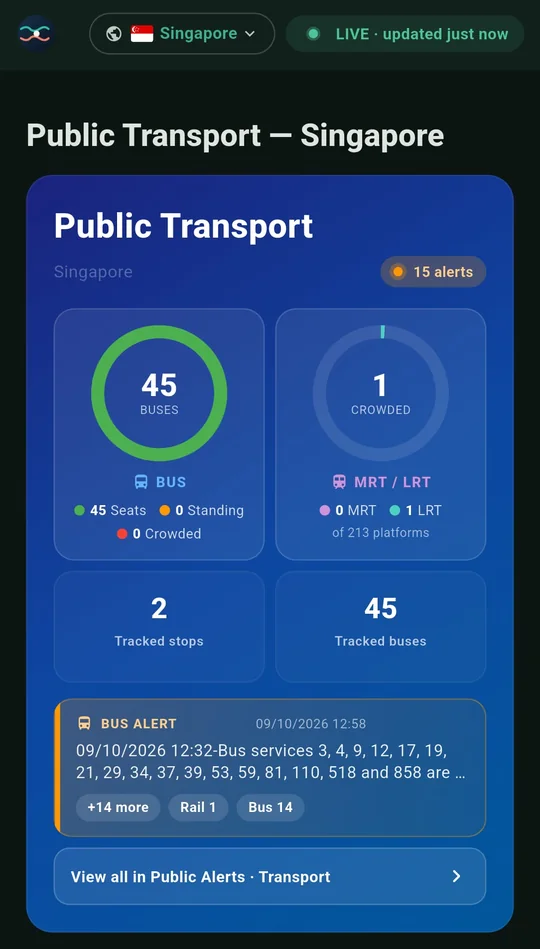
Open Transit and the top card now tells the whole story in two rings. On the left are your buses: how many you are tracking, split into seats available, standing only and crowded. On the right are the MRT and LRT, with the number of crowded platforms right now.
Underneath, a small alert pill turns orange with a count when something is going on, and shows a calm green No alerts when it is not. The latest alert sits just below it, and one tap on View all opens the full list.
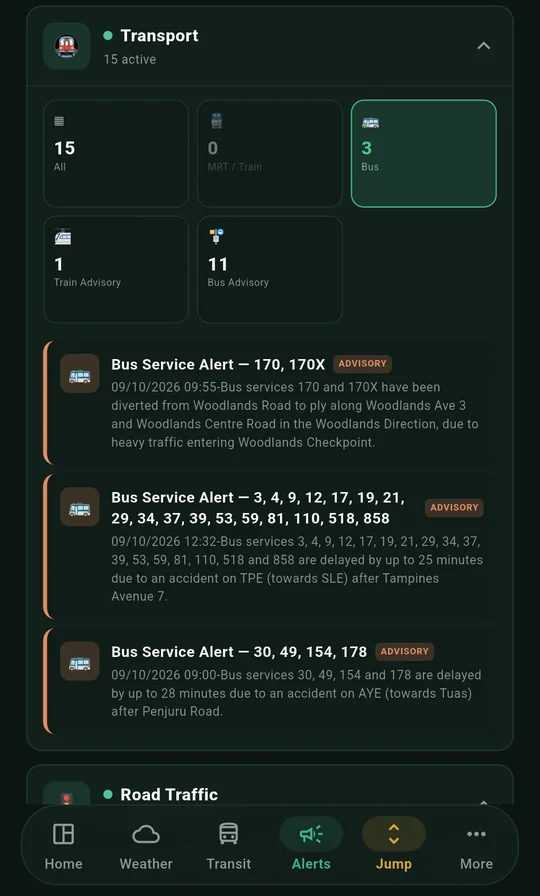
The crowded count also got more honest. It now includes platforms with Moderate crowding as well as High, so the number on top matches the platform card below it. We also added a few stations that were missing from the count.
Alerts that speak up, and say why
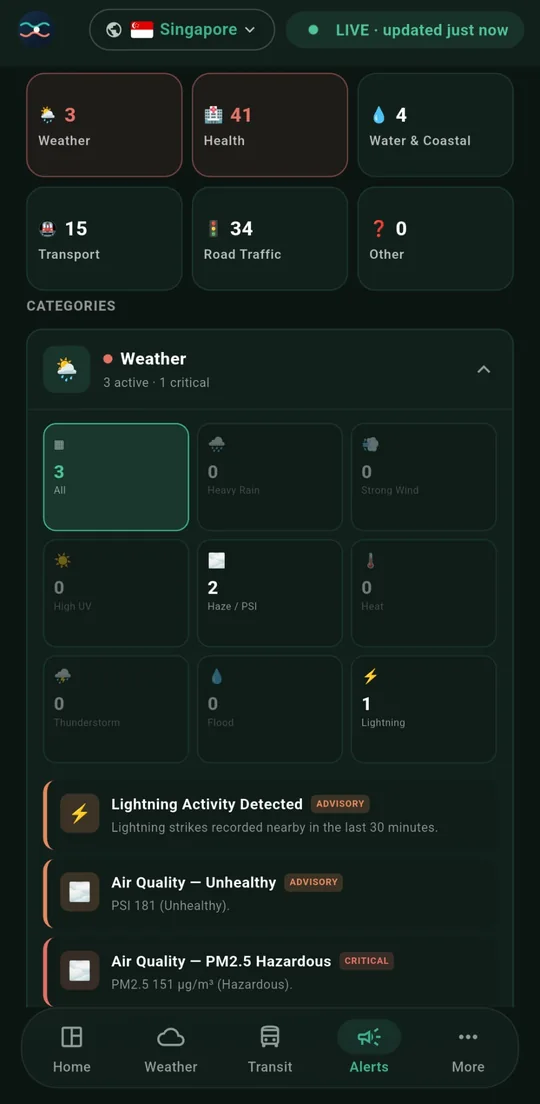
Air quality and UV now have a voice of their own. There is a new Environment alert switch in Settings. Turn it on and you will hear from us when air quality gets worse, when it improves, and when the UV index reaches 8 (very high). Tap the alert and it takes you straight to Weather.
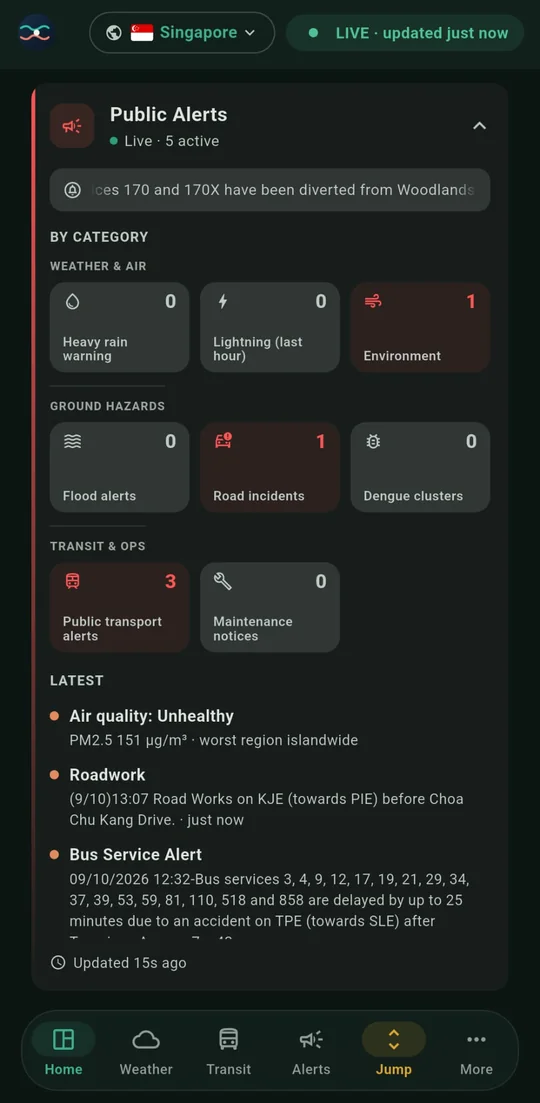
The Public Alerts card on your dashboard also got a refresh. The old Train service alerts tile is now Public transport alerts, and it counts bus disruptions as well as train ones. The Environment and Maintenance tiles now show matching lines in the Latest list, so a number never appears without telling you what it is.
A dashboard that is more yours
- A news card you can fold away. It now collapses, and a small tune icon lets you pick the categories you care about, in both Singapore and Malaysia.
- Settings that follow your country. The dashboard section now matches the country you have selected.
- Transit in the More menu. Whatever commuter type you are, you can now reach Transit from More.
- Tidier tiles. Category tiles now line up at the same height, so rows look neat.
Smoother in the small moments
- Singapore time, always. Times now stay on Singapore time even if your phone is set to another timezone. Malaysia weather warnings no longer show a time that is eight hours out.
- No surprise trips to Settings. The app no longer jumps you into Settings when you open it or tap a notification. Where location is needed, you get a tappable Turn on location instead.
- Notifications open the right country. Tap an alert and the app switches to the country it belongs to.
- Better offline moments. Without a connection, cards now say Offline instead of looking stuck, and they refresh on their own when you are back online.
Get the update
PantauSivik 1.25.29 is live on Google Play. Open the Play Store, search for PantauSivik and tap Update. If you do not see it yet, check again in a day or two, because updates reach devices gradually.
Air quality, UV and alert information comes from public sources and is there to help you plan. For health advice, follow guidance from the relevant authorities.
Common questions
What is new in PantauSivik 1.25.29?
A redesigned Transit card with bus and MRT and LRT crowds in two rings and the latest alert underneath, air quality and UV alerts, clearer Public Alerts that count bus disruptions, and fixes for Singapore time and offline screens.
How do I turn on air quality and UV alerts?
Open Settings and switch on the new Environment alert. You will hear when air quality gets worse, when it improves and when the UV index reaches 8. Tap the alert to go straight to Weather.
Why does the crowded platform count include Moderate?
The count now includes platforms with Moderate crowding as well as High, so the number on the Transit card matches the platform card below it.
How do I get the update?
Open the Play Store, search for PantauSivik and tap Update. Updates reach devices gradually, so if you do not see it yet, check again in a day or two.
See also: What is new in 1.31.0, Public Alerts guide, Bus arrivals guide, Weather, PSI and UV guide.