Home / Blog / App Updates
Alerts by sector, a new Notifications page and more: what is new in PantauSivik 1.31.0
Updated 17 October 2026, evening: this post now covers 1.31.0 (build 46), which replaces 1.30.0 (build 45) and fixes settings not saving on some phones.
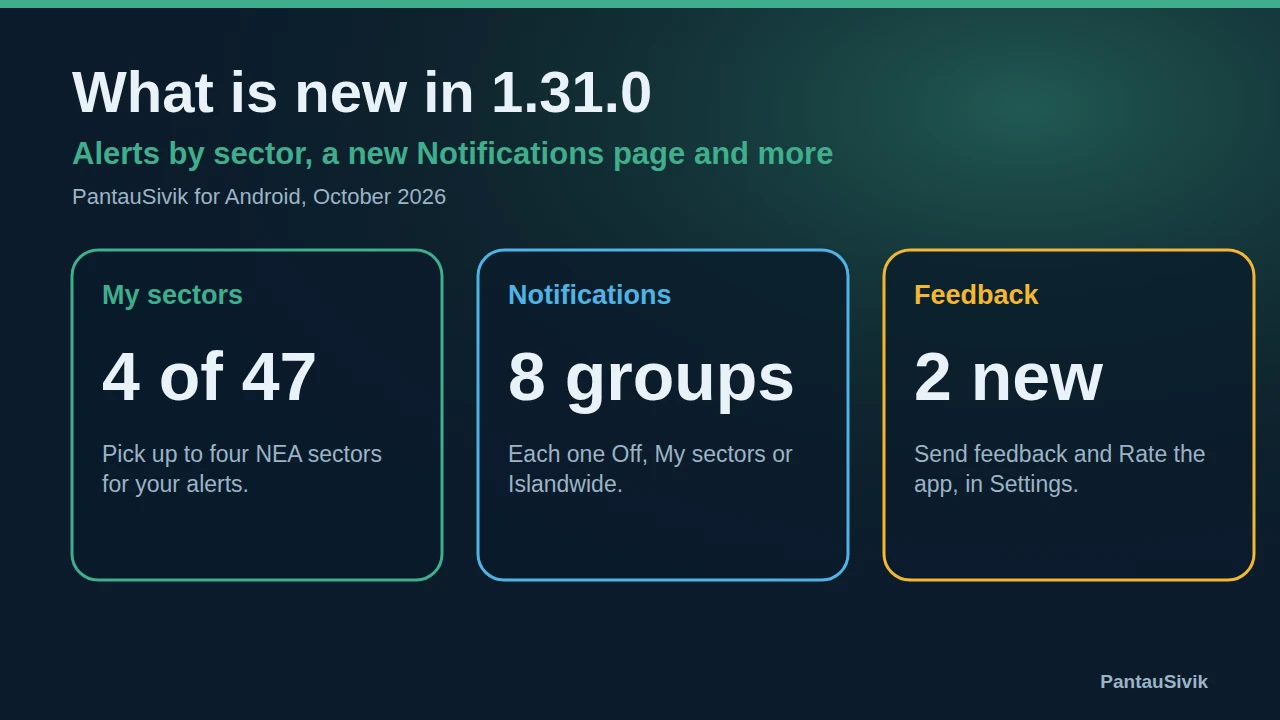
PantauSivik 1.31.0 (build 46) is rolling out now on Google Play and should reach everyone over the next day or two. It replaces 1.30.0 (build 45), which went out earlier today, and builds on 1.28.6. It changes how alerts find you: instead of a distance around your phone, you now choose the parts of Singapore you care about.
We are sorry. On some phones, 1.30.0 would not save changes to My sectors or to the Off, My sectors and Islandwide choices. If that happened to you, your alerts may not have been set up the way you wanted, and we apologise for the trouble. 1.31.0 fixes it, and the app now shows a message if a setting ever fails to save. Please update as soon as you can.
In short: pick up to 4 of 47 NEA sectors, set each alert group to Off, My sectors or Islandwide, and get alerts that name the sector. There is also a new Notifications page, a Maintenance notices section, and Send feedback and Rate the app in Settings.
Alerts by sector
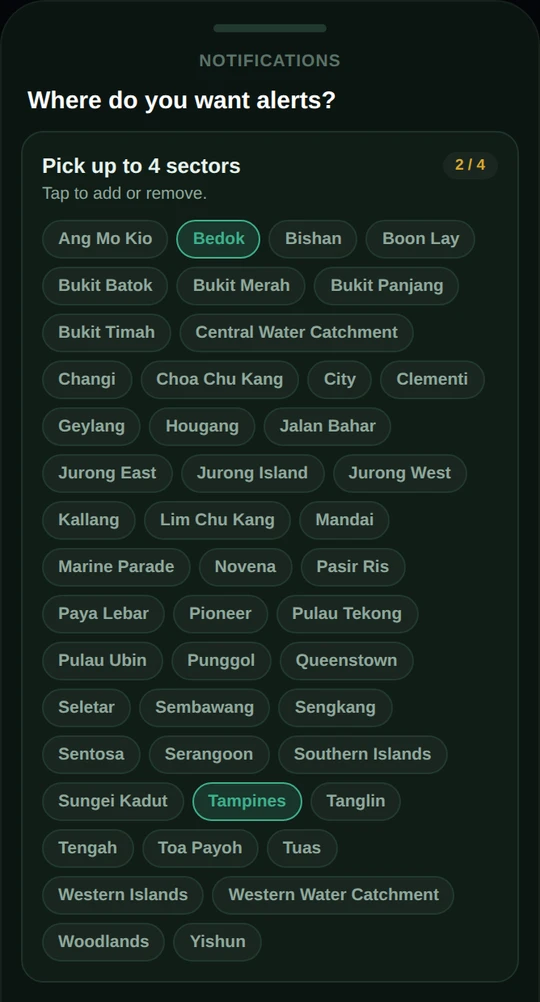
Open My sectors and choose up to 4 of the 47 NEA sectors, such as Bedok, Tampines or Jurong East. This replaces the old Nearby option, which depended on where your phone was. Now you hear about the places you live, work or travel through, even when you are somewhere else. Your choices stay on your phone.
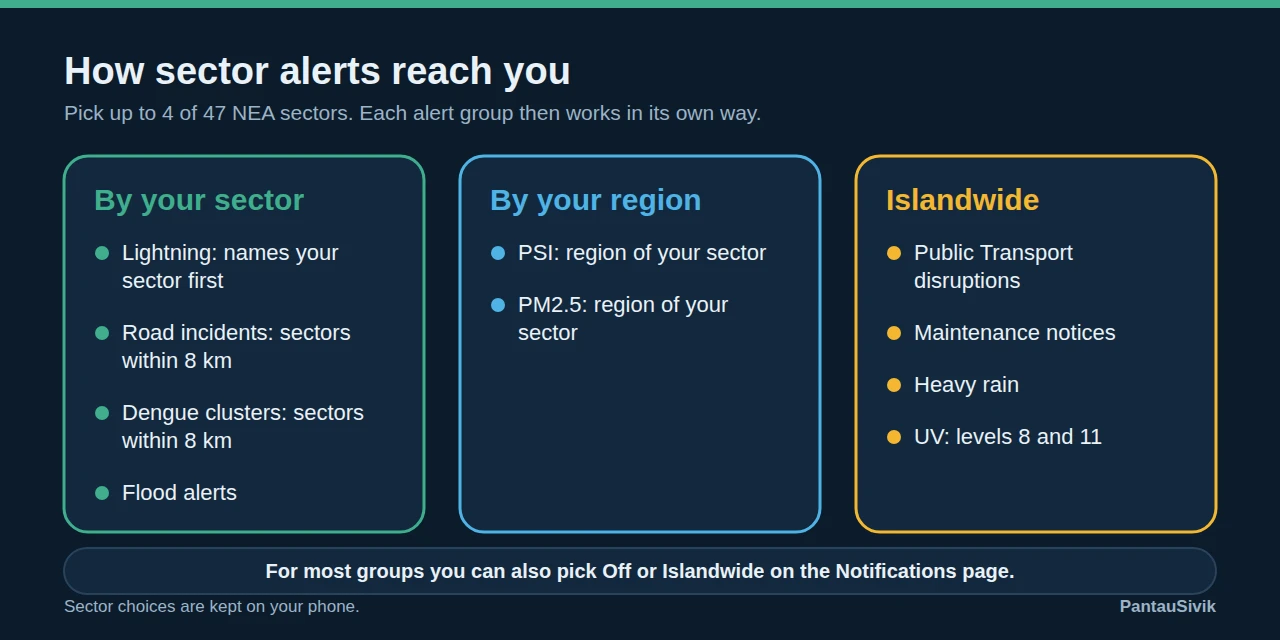
Each alert group then works in its own way. Lightning names your sector first. Road incident and dengue alerts reach your sector when they are within 8 km, and start with "Near" and the sector name. PSI and PM2.5 alerts follow the NEA region your sector is in. Public Transport disruptions, Maintenance notices, heavy rain and UV alerts are islandwide.
Choose your sectors when you open the app
New in 1.31.0: a short step called Where do you want alerts for?. You search the 47 NEA areas and pick up to 4. New users see it during setup, after choosing a Home country. If you already use the app and have not chosen a sector, you will see it once after updating. Because alerts now depend on your sectors, there is no Skip button.
A new Notifications page
Notifications now has one card per group. Each card has a switch and, where it makes sense, an Off, My sectors or Islandwide choice. Under it, an Include row lets you tick sub categories: train lines and bus disruptions, accident, roadwork or vehicle breakdown, and PSI, PM2.5, UV, haze, heat stress or radiation. The top of the page shows how many groups are on and the last alert your phone received.
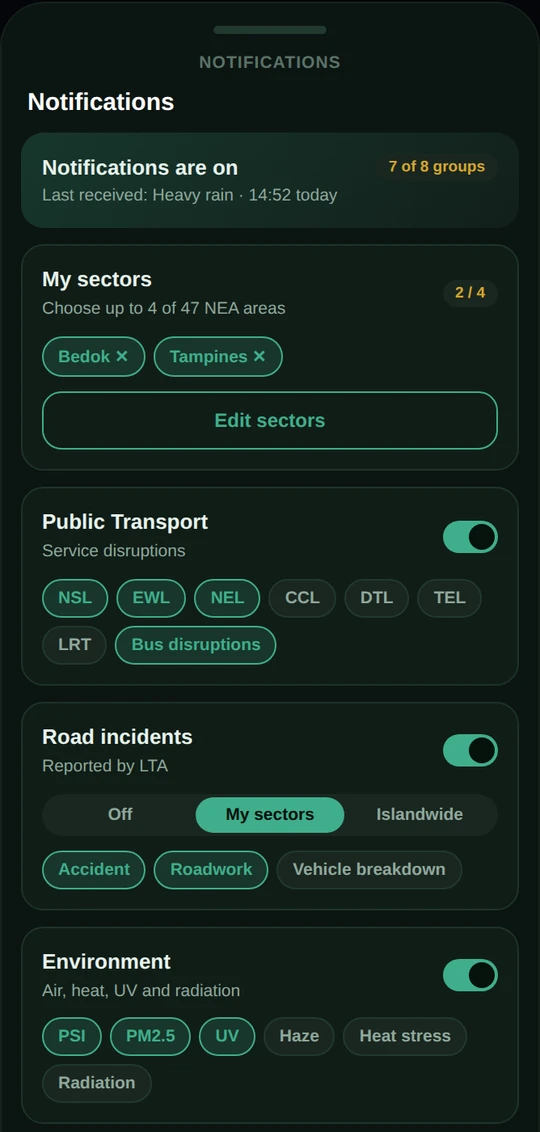
The Train or Bus group is now called Public Transport. Settings is also tidier: it opens to a short list with Notifications, Dashboard, Preferences, Maintenance and About.
Alerts follow your home country
Alerts now follow your Home country rather than the country screen you are viewing. If you open the app in the other country, such as Malaysia, it offers to switch your alerts for the trip and to switch back when you are home. Choose Not now and it will not ask again for that trip. You can also turn the offer off in Preferences.
Better lightning alerts
- Lightning notifications now expire after 10 minutes, so a phone that was off does not wake up to a burst of old alerts.
- With the app closed, you get at most one lightning notification every 10 minutes.
- If you have switched an alert off, the app now drops it even if an old subscription is still delivering it.
- The lightning card on the Alerts page shows strikes across Singapore, the split between cloud to cloud and cloud to ground, and a line for each of your sectors. The data covers the last 30 minutes, and the wording now says so.
Maintenance notices, and taps that go to the right place
The Alerts page has a new Maintenance section under Other. It lists active and upcoming maintenance windows with their times, and a maintenance notification opens it. We also fixed a bug: tapping a notification while the app was fully closed used to open the dashboard. It now opens the screen the alert belongs to.
Send feedback and rate the app
Under Settings, About there is now a Send feedback card that opens your mail app with a message to us, and a Rate the app row that opens the Google Play listing. The app may also ask for a review once, after 10 opens and 7 days, then wait 90 days before asking again. It never asks on your first open.
How to update
Open Google Play, search for PantauSivik and tap Update. If you already updated to 1.30.0, update again to get 1.31.0. If you do not see it yet, check again in a day or two. To learn more about the screens above, read our Public Alerts guide and the Weather, PSI and UV guide, or see what changed last time in what is new in 1.25.29. If your alerts are about haze, our post on which air quality number to check explains the PSI and PM2.5 alerts.
Common questions
My sectors or alert choices would not save on 1.30.0. What should I do?
Update to 1.31.0, then check My sectors and the Notifications page again. If a setting still does not save, the app now shows a message with the reason. Please tell us through Send feedback under Settings, About, and include your phone model.
How many sectors can I choose?
Up to 4 of the 47 NEA sectors. Your choices are kept on your phone, and you can change them any time under My sectors.
Will the app keep asking me to rate it?
No. It asks for a Google Play review only after you have opened the app 10 times and used it for at least 7 days. After that it waits 90 days before asking again, and it never asks on your first open.
What does the Send feedback email contain?
It opens your mail app with a message to us. At the bottom it adds your app version, country and Android version, which you can delete before you send.
Information in PantauSivik comes from public sources and is there to help you plan. In an emergency, follow official channels. PantauSivik is independent and not affiliated with any government agency.
See also: How to set up alerts for home and work, Four stormy days of lightning, What is new in 1.25.29, PSI, PM2.5 and Malaysia’s API.